
Image Capture Requirements



If you cannot find the answer you are looking for in our FAQs, feel free to reach out to us directly. We are happy to help!
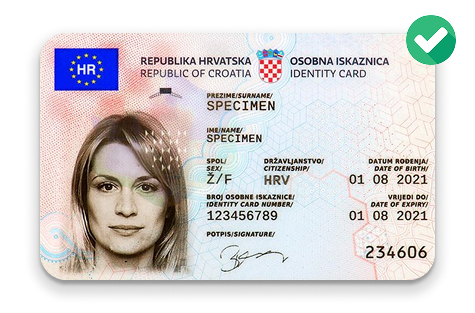
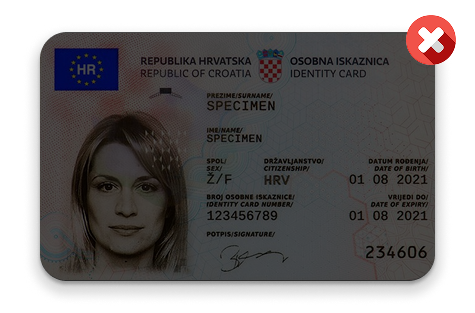
Getting the perfect shot
Good lighting is key to accurate OCR results. Images that are too dark, too bright, or unevenly lit can make the text harder to recognize and lead to processing errors. Use soft, balanced lighting to ensure your document is clear and readable.
Reflections from flash or harsh lighting can reduce image clarity and interfere with data extraction. For best results, take document photos in soft, natural light and avoid using your phone’s flash or capturing images under reflective surfaces.
Ensure your image is sharp and in clear focus. Avoid any blurriness or out-of-focus areas, as they can compromise the quality and make it more difficult to review. Every part of the image should be crisp and clear, with no distortion or motion blur.
Make sure your document is properly aligned when captured. The tilt angle must not exceed 10 degrees in any direction—whether it's tilted horizontally (left or right) or vertically (forward or backward)—to ensure the document is readable and accepted.
Make sure there’s enough space around the document. It shouldn’t touch the image edges. For best results, the document should fill about 70–80% of the image area, leaving clear space on all sides for better readability and clarity.
Make sure the document fills most of the image. The empty space (margins) around the document should not exceed 20–30% of the total image area. For best results, the document itself should cover approximately 70–80% of the image.
The document must clearly stand out from the background. Avoid using light documents on light backgrounds or dark documents on dark backgrounds, as low contrast may affect visibility and prevent the document from being properly recognized.
For accurate recognition of ID documents, please upload clear images taken with a camera that supports autofocus and has a resolution of at least Full HD (1920×1080). High-resolution, well-focused images help ensure better accuracy in document verification.
Make sure your hands, fingers, or any other objects do not block or cover any part of the document. All important information such as text, numbers, photos, or codes must be clearly visible and not hidden or obscured in any way.
When scanning your passport, please make sure the pages are laid flat, aligned correctly, and free from glare or distortion. All text, images, and security features should be clearly visible and easy to read for proper verification.